Klusikova Galerie
ENCSDESV
Administratörsinloggning

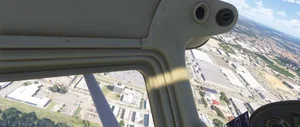
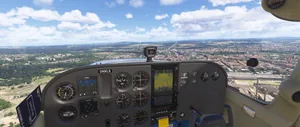
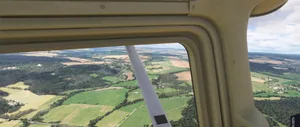
Flight over the Pilsen

21. 8. 2026
68

Från första fotot

Presentation

Dela presentation

Dölj kontroller. Avsluta med Esc.

  1. Gallerier
  2. Game Screens
  3. Flight Simulators
  4. C172
  5. Flight over the Pilsen
fs24activeskysayintentionsletadlaplasyakplasy
…Alla taggar

Alla taggar

fs24activeskysayintentionsletadlaplasyakplasylkpsc172cessnabagolupilsenplzen
🔍
Föregående12NästaSida 1 av 2
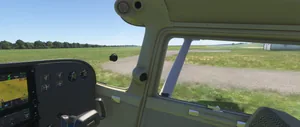
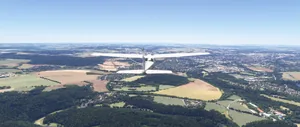
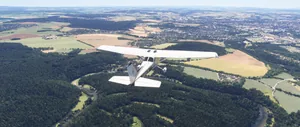
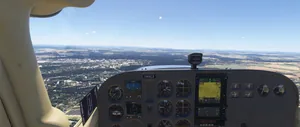
Flight over the Pilsen — foto 1
Flight over the Pilsen — foto 2
Flight over the Pilsen — foto 3
Flight over the Pilsen — foto 4
Flight over the Pilsen — foto 5
Flight over the Pilsen — foto 6
Flight over the Pilsen — foto 7
Flight over the Pilsen — foto 8
Flight over the Pilsen — foto 9
Flight over the Pilsen — foto 10
Flight over the Pilsen — foto 11
Flight over the Pilsen — foto 12
Flight over the Pilsen — foto 13
Flight over the Pilsen — foto 14
Flight over the Pilsen — foto 15
Flight over the Pilsen — foto 16
Flight over the Pilsen — foto 17
Flight over the Pilsen — foto 18
Flight over the Pilsen — foto 19
Flight over the Pilsen — foto 20
Flight over the Pilsen — foto 21
Flight over the Pilsen — foto 22
Flight over the Pilsen — foto 23
Flight over the Pilsen — foto 24
Flight over the Pilsen — foto 25
Flight over the Pilsen — foto 26
Flight over the Pilsen — foto 27
Flight over the Pilsen — foto 28
Flight over the Pilsen — foto 29
Flight over the Pilsen — foto 30
Flight over the Pilsen — foto 31
Flight over the Pilsen — foto 32
Flight over the Pilsen — foto 33
Flight over the Pilsen — foto 34
Flight over the Pilsen — foto 35
Flight over the Pilsen — foto 36
Flight over the Pilsen — foto 37
Flight over the Pilsen — foto 38
Flight over the Pilsen — foto 39
Flight over the Pilsen — foto 40
Flight over the Pilsen — foto 41
Flight over the Pilsen — foto 42
Flight over the Pilsen — foto 43
Flight over the Pilsen — foto 44
Flight over the Pilsen — foto 45
Flight over the Pilsen — foto 46
Föregående12NästaSida 1 av 2

Starta presentationen

Din webbläsare behöver ett klick för att starta med länkens inställningar.

Kontroller←/→ foton, Shift+←/→ ±10 foton, +/− zoom, 0 återställ, F helskärm, M karta, S bildspel, X stäng
Ändringar gäller direkt. Använd piltangenterna för att välja Snabb, Medel eller Långsam.
Zoom 100%
PHP Gallery (0.142.2)